Staffing by demand means tying your shift counts and role assignments to live bookings and booking velocity, not to a fixed weekly roster. Escape-room venues that do this cut overstaffing on quiet Tuesday afternoons and stop scrambling when Saturday night books out. If you run more than two rooms, the fix is straightforward: connect your booking calendar to a staffing rule engine (a tool like Riddlio does this) and roll it out over 30, 60, and 90 days.
Key Takeaways
Demand-driven staffing works because it ties headcount and role assignments to live, confirmed bookings instead of a fixed weekly guess.
| Point | Details |
|---|---|
| Match staff to bookings | Reduces labour cost as a percentage of revenue and cuts idle weekday hours. |
| Build a real matrix | Use booking velocity thresholds, not maximum room capacity, to set headcount. |
| Protect your team | Rotate peak shifts and formalise rest windows to reduce burnout and turnover. |
| Roll out in stages | Use a 30/60/90 day plan rather than switching your whole roster overnight. |
| Riddlio as the starting point | Combines the booking feed, staffing rules, and SMS confirmations this guide describes in one platform. |
Table of Contents
- Why demand-driven staffing matters for escape rooms
- Core components every staffing-by-demand system needs
- How to build a dynamic staffing matrix from booking data
- Scheduling rules that protect staff from burnout
- What to look for in staffing-by-demand software
- What kind of ROI can you expect?
- The 30/60/90 day rollout for demand-driven scheduling
- How Riddlio supports staffing-by-demand for escape rooms
- Lessons from venues that switched to demand-driven scheduling
- Try Riddlio’s booking and staffing tools
- Sources
Why demand-driven staffing matters for escape rooms
Escape rooms don’t get even traffic. Friday and Saturday nights can run at full room concurrency while Tuesday afternoons sit half empty, and a fixed roster built around “just in case” coverage bleeds money on the slow days and buckles on the busy ones. Scheduling systems that match staffing to bookings measurably reduce labour cost as a percentage of revenue, because you stop paying for hours nobody needs.
The flip side matters more to guests than to your spreadsheet. When headcount matches the booking sheet, sessions start on time, resets happen fast enough to avoid a queue at the door, and game masters aren’t sprinting between three rooms because someone under-rostered Saturday night.
- Fewer late session starts because reset crews aren’t stretched across too many rooms at once
- Lower idle labour cost on slow weekday shifts
- Better staff morale when shifts are sized to actual workload, not guesswork
Core components every staffing-by-demand system needs
A working demand-driven system isn’t one clever spreadsheet formula. It’s a stack of connected pieces, each doing a specific job.
- A live booking feed with session-level detail: start time, room, group size, and how fast slots are filling (booking velocity)
- A staffing matrix rules engine that converts thresholds into headcount and role assignments, including a defined floater role
- Auto-assignment and notification automation that pushes shift offers, captures confirmations, and handles callouts without a manager manually texting eight people
- Reporting and KPIs, especially labour cost per slot, shift fill rate, and average games run per game master
- Integrations across calendar sync, POS/payments, and SMS or email reminders, since confirmed bookings (not just reservations) should drive staffing decisions
| Point | Details |
|---|---|
| Booking feed | Session-level data (time, room, group size) is the input every other rule depends on. |
| Rules engine | Converts booking thresholds into headcount and role assignments automatically. |
| Notifications | Automates shift offers and confirmations instead of manual phone calls. |
| KPIs | Tracks labour cost per slot and fill rate so you can see what’s working. |
How to build a dynamic staffing matrix from booking data
Building the matrix is a five-step process, and it starts with data you probably already have sitting in your booking system.
- Gather your baseline. Pull average bookings by day and time slot, typical room concurrency, and your historical cancellation rate for the last two or three months.
- Pick a productivity target. Decide on a metric like gross-profit-per-shift or sessions-per-staffer, then use it to translate daily revenue targets into a base headcount for each day rather than spreading staff evenly across the week.
- Set your thresholds. Define the booking-velocity or confirmed-seat triggers that add or remove a shift. Many venues schedule to roughly 80 to 85% of confirmed bookings to absorb typical last-minute cancellations without chronic overstaffing.
- Map roles to skills. Separate senior game masters (who can often run two rooms at once), junior GMs, reception or bar staff, and your floater or utility role.
- Encode the rules into your scheduling tool so headcount adjusts automatically when booking levels shift, instead of a manager rebuilding the roster from scratch every week.
Pro Tip: Test your new thresholds against one week of historical bookings before going live. Run the matrix’s output side by side with what you actually rostered that week and see where it would have added or cut a shift. It’s the fastest way to catch a threshold set too tight or too loose before it costs you a Saturday night.
Scheduling rules that protect staff from burnout
A staffing matrix that only optimises for cost will wear your best people out fast. Sustainable rosters need rules of their own, sitting alongside the demand logic.
- Rotate “money shifts” (the high-tip, high-energy peak slots) across your trained staff on a rolling basis instead of always handing them to the same two people
- Cap consecutive closing shifts and set a formal minimum rest window between a late finish and an early start
- Offer short, peak-focused shifts of four to five hours for casual staff so weekend demand gets covered without anyone sitting idle between bookings
- Build a formal floater role with its own training pathway, so cross-coverage feels like a genuine skill rather than an unpaid extra burden
Pro Tip: Treat the floater role as a promotion path, not a dumping ground. Staff who train across reception, game mastering, and resets become your most valuable rostering asset, and they know it. Pay a small premium for the certification and you’ll have volunteers, not conscripts.
What to look for in staffing-by-demand software
Not every scheduling tool on the market is built for a business where fifteen minutes of reset time between sessions can make or break your evening. Look for these capabilities before you commit to anything:
- Booking integration that ingests session-level data (group size, room, exact start and end times), not just daily totals
- A rules engine supporting thresholds, booking-velocity triggers, and role-based auto-assignment
- Shift offer and notification workflows over SMS or email, with one-tap mobile confirmation
- Dashboards exporting labour cost per slot and fill rate without a manual spreadsheet export
- Operational settings for reset windows, shift-overlap handovers, and permissioned role assignments, plus solid data security around staff and customer information
| Capability | Why it matters |
|---|---|
| Session-level booking feed | Drives accurate headcount instead of rough daily averages |
| Threshold-based rules engine | Automates the headcount decision instead of manual guesswork |
| Mobile shift confirmations | Cuts the time managers spend chasing callouts by phone |
| Exportable KPIs | Lets you track labour cost per slot week over week |
What kind of ROI can you expect?
The savings show up in three places: fewer idle labour hours on slow days, fewer last-minute overtime calls on busy ones, and fewer lost bookings because you had the room concurrency covered when a big group walked in. None of that requires guesswork to estimate.
A simple payback model works like this: estimate the weekly labour hours you’d save by matching staff to bookings, multiply by your average hourly rate, and compare that to the software’s monthly cost. Most venues land somewhere in a four to twelve week payback window, depending on how loose the old roster was.
- Labour cost as a percentage of revenue (the core efficiency number)
- Shift fill rate (how reliably offered shifts get confirmed)
- Percentage of sessions started on time
- Staff utilisation per shift, especially on weekday off-peak slots
The 30/60/90 day rollout for demand-driven scheduling
Switching from a fixed roster to a demand-driven one works best as a staged rollout, not a flick of a switch.
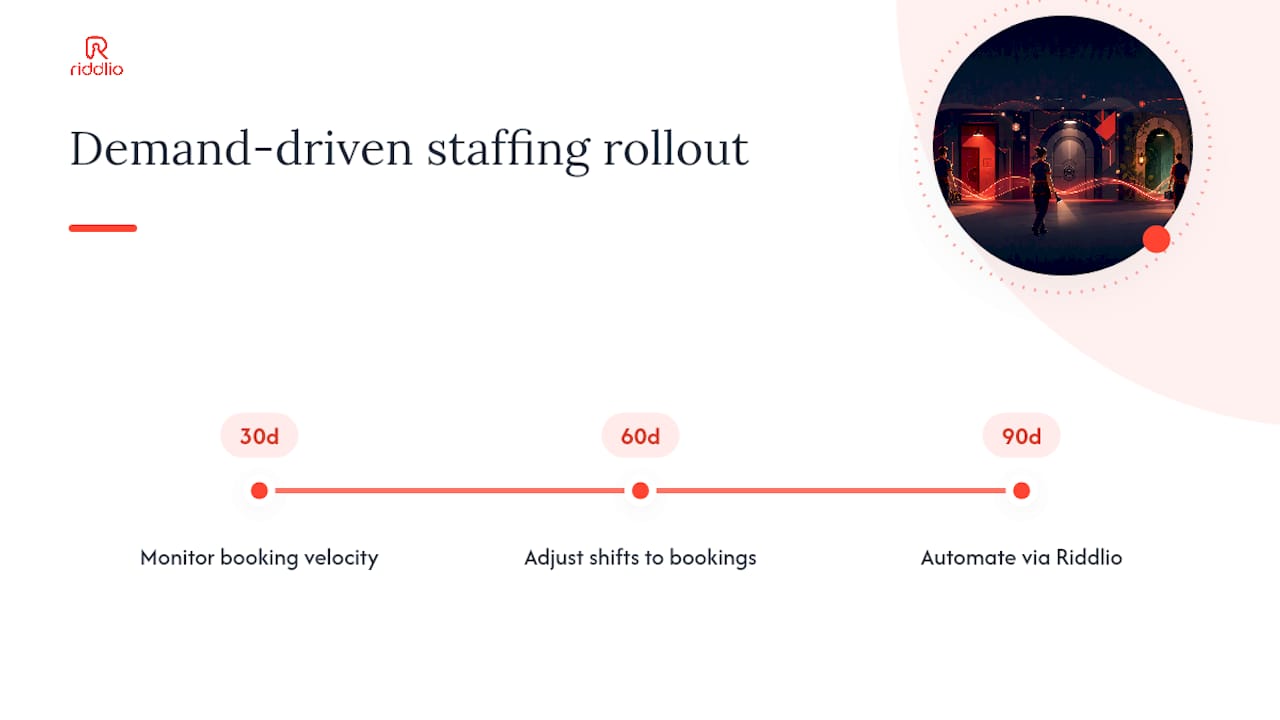
- Days 1 to 30: Audit your booking history and staff skills, configure basic thresholds in your rules engine, and run a parallel test where the tool’s recommendations sit alongside your existing manual roster for one week.
- Days 31 to 60: Automate the live booking feed into the system, trial auto-assignment on your lowest-risk slots (typically weekday afternoons), and train staff on the floater role and how shift confirmations work.
- Days 61 to 90: Cut over fully for your high-traffic weekend windows, start tracking KPIs properly, and hold a feedback session with staff before locking in the rules long term.
- Confirm data feeds: calendar sync, payments, and cancellation data are all flowing correctly
- Finish staff training on the floater role and mobile confirmations
- Update written scheduling policy to reflect the new rules
- Communicate the change clearly before day one, not after something breaks
How Riddlio supports staffing-by-demand for escape rooms
Riddlio was built around the same problem this article has been solving: matching people to bookings without a manager doing mental arithmetic every Sunday night. The online booking calendar captures session-level data (room, group size, timing) in real time, which is the exact feed a staffing matrix needs to function.
From there, Riddlio’s operational and staff-scheduling features let you set staffing rules, send shift offers automatically, and pull analytics on fill rate and labour cost without exporting anything to a spreadsheet. Integrated payment processing and automated SMS reminders mean bookings you’re staffing against are actually confirmed, not just tentative, which cuts the guesswork out of your thresholds.
- A single calendar view of bookings, payments, and staffing in one place
- Automated SMS shift offers and confirmations, no group text chains
- Analytics dashboards for fill rate and labour cost per slot
- Fewer front-desk headaches because waivers and payments are already handled
Pro Tip: Start with your busiest two shifts of the week when you trial any new staffing tool. If the rules engine handles your Saturday night crunch cleanly, the quiet Tuesday shifts will look after themselves.
Lessons from venues that switched to demand-driven scheduling
The venues that struggle with this switch almost always try to automate everything on day one. The ones that succeed start small: a single floater role, a fixed 25-minute reset window, and one or two shift offers sent automatically instead of by text message.

One pattern I’ve noticed repeatedly is that the biggest visible improvement isn’t cost. It’s fewer late starts. Once reset windows and floater coverage are actually enforced by the rules rather than left to a manager’s memory, guests stop queuing at the front desk at 7:05pm for a 7:00pm session. That’s the win staff notice first, before the labour cost numbers even move.
Try Riddlio’s booking and staffing tools
If your roster is still built in a spreadsheet against a gut feel for Saturday demand, Riddlio gives you the booking-to-staffing connection this whole guide has been describing, in one platform instead of three disconnected tools. You get the live booking calendar, automated payments, and staff-scheduling data feeding the same dashboard, so your thresholds are working off real confirmed bookings from day one.

The easiest place to start is a one-week pilot: connect your booking calendar, run your busiest weekend against the platform’s data, and see what the fill-rate numbers look like before touching your full roster. Riddlio’s team supports onboarding and data migration, so switching over doesn’t mean losing your existing booking history. Head to Riddlio’s booking software to set up a trial and see your first demand-driven roster take shape.
Sources
- Entertainment CEO Business Operations for Escape Room and Immersive Entertainment Venues
- Escape Room Bowling Scheduling | Shyfter
- How Many Employees Should I Schedule Each Shift at My Escape…