The most effective approach to staff rota planning is to forecast demand by session or shift slot, lock in availability, then draft and publish a compliance-checked schedule using dedicated scheduling software rather than a spreadsheet. Do this every planning cycle and you cut last-minute gaps, reduce wage overruns, and give staff the notice they need.
This week, do these five things:
- Collect availability from every team member before you draft anything
- Block statutory rest periods and minimum break requirements under the Fair Work Act
- Build or download a weekly rota template and map your busiest slots first
- Run a compliance check before publishing (hours, penalty rates, breaks)
- Publish with mobile push notifications so staff confirm receipt
For escape room and entertainment venues, Riddlio’s staff scheduling features connect directly to your booking calendar, so demand drives the rota automatically.
Key takeaways
Effective staff rota planning requires locking availability before drafting, running Fair Work compliance checks before publishing, and using scheduling software that connects directly to your booking and payroll systems.
| Point | Details |
|---|---|
| Lock availability first | Collect confirmed availability before drafting; never build a rota on assumptions. |
| Use pattern-based scheduling | Recurring shift structures reduce manual rebuilds and scale as your team grows. |
| Run compliance checks before publishing | Verify hours, rest breaks, and penalty rates against the applicable modern award every cycle. |
| Integrate with payroll | Direct export to Xero, MYOB, or KeyPay eliminates manual data entry and reduces payroll errors. |
| Riddlio for venue operators | Riddlio connects booking data to staff scheduling so session demand drives the rota automatically. |
Table of Contents
- Why does rota planning affect your bottom line?
- What features should you look for in rota software?
- How do you create a weekly rota step by step?
- What rota planning mistakes cost managers the most?
- How do you use a staff rota template?
- What are the Fair Work compliance basics for every rota?
- The rota change that actually made a difference
- Riddlio gives escape room venues a rota that runs with the bookings
- Useful sources for managers
Why does rota planning affect your bottom line?
Poor scheduling costs money in ways that rarely show up on a single line of a P&L. Overstaffing a quiet Tuesday afternoon and understaffing a Friday peak session are both expensive, just differently. The first burns wage budget; the second costs you customer experience and repeat bookings.
Trends away from the traditional 9–5 are accelerating, and shift-based businesses now carry more scheduling complexity than ever. When staff work split shifts, casual hours, or rotating weekends, a static spreadsheet rota breaks down fast. Errors compound: someone is double-booked, a rest break is missed, a penalty rate is applied incorrectly, and suddenly a payroll run is wrong.
Staff retention is the less-obvious cost. Employee-centric scheduling, where staff can set availability, request swaps, and view their schedule on mobile, measurably improves retention and reduces the manager’s administrative load. Replacing a casual worker costs time and money in recruitment and training. Getting the rota right keeps people around.
The operational upside is just as real. Managers who predefine availability windows and skill-based rules before drafting a schedule deal with fewer day-of conflicts and last-minute call-outs. That pre-planning discipline, not the software itself, is what separates a smooth week from a chaotic one.

What features should you look for in rota software?
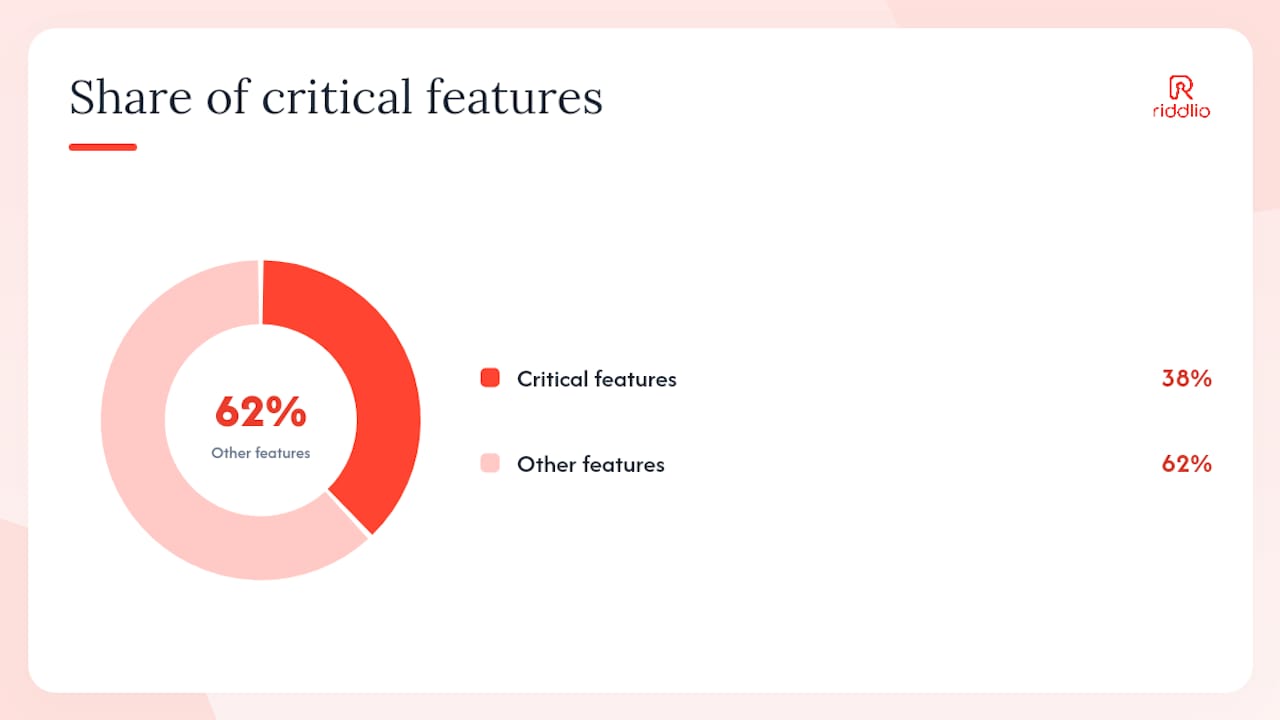
The feature list below is built around what Australian shift-based managers actually need, not a generic global checklist. Peer review platforms consistently flag payroll integration, compliance features, and reporting as the critical decision factors when choosing workforce management tools.
| Feature | What it does | When it matters most |
|---|---|---|
| Availability and leave visibility | Shows confirmed availability and approved leave before you draft | Always; prevents the most common scheduling errors |
| Auto-scheduling | Fills shifts based on availability, skills, and hours rules | Multi-site venues and high-turnover teams |
| Shift swaps | Staff request and approve swaps without manager intervention | Casual and part-time heavy rosters |
| Mobile staff app | Staff view, accept, and swap shifts from their phone | Any team where staff are not desk-based |
| Labour costing in AUD | Shows live wage cost as you build the rota | Budget-constrained operations |
| Fair Work compliance checks | Flags rest break violations, maximum hours, and penalty rate triggers | All Australian employers |
| Payroll integration | Exports approved hours directly to payroll (Xero, MYOB, KeyPay) | Reduces manual data entry and payroll errors |
| Reporting and analytics | Tracks hours worked, cost per shift, and demand patterns | Growing venues and multi-site operators |
Australian-specific considerations: penalty rates under modern awards vary by day and time, and the Fair Work Act sets minimum rest periods between shifts. Any software you trial must handle these rules natively, not as an add-on. Before you commit to a platform, test the compliance engine in a demo using your actual award and a Saturday night shift. If it does not flag the penalty rate correctly, the tool is not ready for Australian payroll.
Pro Tip: Ask the vendor to demonstrate a Fair Work compliance check during the demo using a real scenario: a casual employee working a split shift on a public holiday. If the system cannot flag the penalty rate and rest break simultaneously, keep looking.
Review sites consistently show ease of use and mobile access as the top purchase drivers for rota tools, so weight those factors heavily in your evaluation alongside compliance depth.
How do you create a weekly rota step by step?
Build the rota in this order: collect availability, forecast demand, apply rules, draft, check, publish, then manage exceptions. Skipping any step pushes the problem downstream.
- Build the draft rota — Fill the highest-demand slots first, then work down. Use pattern-based scheduling for recurring shift structures rather than rebuilding from scratch each week.
Pro Tip: Set up an “open shifts” pool for uncovered slots. Staff can claim open shifts voluntarily, which reduces the number of last-minute calls you make as a manager and gives casual staff more hours when they want them.
What rota planning mistakes cost managers the most?
Most scheduling errors are predictable. The table below lists the common ones and a one-line fix for each.
| Mistake | Practical fix |
|---|---|
| Drafting before collecting availability | Lock availability submissions first; draft nothing until responses are in |
| Overloading your most reliable staff | Cap weekly hours per person in the system before building the draft |
| Forgetting to plan breaks | Add break blocks as scheduled entries, not assumptions |
| No backup cover for key roles | Designate one cross-trained staff member per shift as a flex cover |
| Publishing without a compliance check | Make the compliance check a mandatory step before the publish button |
| Rotas published with no notice | Set a minimum 72-hour publication rule and automate the notification |
| No record of rota changes | Use software that logs every edit with a timestamp and the editor’s name |
When you publish a rota, the notification itself matters. Include the shift date, start and end time, role, location (if multi-site), and a direct link to view the full schedule. Staff who receive incomplete notifications ask follow-up questions, which creates more admin work for you.
How do you use a staff rota template?
A weekly rota template in Excel or Google Sheets is a practical starting point for small teams or managers who are not yet ready to commit to software. The template should include these columns as a minimum:
| Column | Purpose |
|---|---|
| Staff name | Identifies the employee |
| Role / position | Confirms the skill assigned to the shift |
| Shift start | Scheduled start time |
| Shift end | Scheduled end time |
| Break duration | Planned break in minutes |
| Total hours | Calculated hours for payroll |
| Notes | Covers, training, or special instructions |
Worked one-week example (five-person escape room team):
| Name | Role | Mon | Tue | Wed | Thu | Fri | Sat | Sun |
|---|---|---|---|---|---|---|---|---|
| Priya | Game Master | OFF | 12–48 | 12–48 | OFF | — | 10–18 | 10–18 |
| Jordan | Game Master | 12–48 | OFF | OFF | 12–48 | 12–48 | — | OFF |
| Sam | Host | 10–18 | 10–18 | OFF | 10–18 | OFF | 10–18 | 12–48 |
| Mei | Host | OFF | OFF | 10–18 | OFF | 10–18 | 12–48 | 10–18 |
| Alex | Flex cover | ON CALL | ON CALL | ON CALL | ON CALL | ON CALL | 10–18 | 10–18 |
Once your team grows beyond six or seven people, or you are running multiple session types simultaneously, the template becomes a liability. Manual templates have no availability tracking, no compliance flags, and no automatic notifications. That is when moving to dedicated scheduling software for teams pays off immediately.
What are the Fair Work compliance basics for every rota?
Before you publish any rota in Australia, run through this checklist. Getting it wrong exposes you to back-pay claims and Fair Work Ombudsman investigations.
Pre-publication compliance checklist:
- Maximum ordinary hours: full-time employees cannot be rostered for more than 38 ordinary hours per week under the Fair Work Act
- Minimum rest between shifts: most modern awards require at least 10 hours between the end of one shift and the start of the next
- Meal breaks: employees working more than five hours are generally entitled to a meal break; check your applicable award for the exact duration
- Penalty rates: Saturday, Sunday, public holiday, and late-night shifts attract penalty rates under most awards; confirm the applicable rate before the rota is published
- Young workers: employees under 18 have additional restrictions on hours and late-night shifts under some awards
- Casual conversion: if a casual employee has worked a regular pattern for 12 months, they may have conversion rights under the National Employment Standards
Automated scheduling tools that flag these conflicts during drafting, rather than after publishing, reduce the risk of a non-compliance event significantly.
Pro Tip: If you are unsure which modern award applies to your staff, the Fair Work Ombudsman’s Pay and Conditions Tool is the authoritative starting point. For complex multi-award situations, consult a payroll specialist or employment lawyer before finalising your rota rules.
The rota change that actually made a difference
Most managers who switch from spreadsheets to scheduling software expect the biggest gain to come from the auto-scheduling feature. In practice, the real shift is earlier in the process: the moment you stop drafting a rota before you have confirmed availability.
That sounds obvious. It is not how most small venue managers actually work. The spreadsheet is open, the week looks familiar, and the temptation is to fill in names based on last week’s pattern and fix it later when someone says they cannot make it. “Fix it later” is where the hours go.
The change that consistently works is procedural, not technological. Set a hard availability deadline, make it non-negotiable, and only open the scheduling tool once responses are in. Software makes that discipline easier to enforce because the system will not let you assign a shift to someone who has marked themselves unavailable. But the discipline has to come first.
The second thing that works: give staff visibility. When people can see the full rota on their phone and request swaps without calling you, the manager’s phone stops ringing on Friday afternoon. That alone recovers more time than any other single change.
Change management for a new tool is simpler than most managers expect. Run one rota cycle in parallel with the old system, let staff use the mobile app for that cycle, and gather feedback at the end of the week. Most teams are comfortable within a fortnight.
Riddlio gives escape room venues a rota that runs with the bookings
Escape room venues have a scheduling problem that generic workforce tools do not fully solve: your staffing need is not a fixed pattern, it is a direct function of how many sessions are booked. A quiet Tuesday with two bookings needs one Game Master. A sold-out Saturday with eight sessions running simultaneously needs a full team, plus flex cover.

Riddlio connects your booking calendar directly to staff scheduling, so the demand signal is already built in. When a session fills, the system knows a Game Master needs to be allocated. When a booking is cancelled, the rota reflects it. You are not cross-referencing two separate tools.
| Riddlio feature | Manager benefit |
|---|---|
| Booking-sync scheduling | Session bookings automatically drive staff allocation, no manual cross-referencing |
| Automated SMS and email reminders | Staff receive shift confirmations and reminders without manager follow-up |
| Real-time analytics dashboard | See labour cost against session revenue in one view |
| Integrated payment and payroll readiness | Approved hours feed directly into reconciliation, reducing end-of-week admin |
| Self check-in kiosk | Frees staff from front-of-house duties during peak session times |
For venue operators who want to see how this works in practice, start a free trial at Riddlio and run one rota cycle with your actual booking data. The setup takes less than a day.
Useful sources for managers
- Shift management and staff scheduling | Microsoft Teams
- statista.com
- au.trustpilot.com
- g2.com
- Staff rota template — TimeTrackApp
- Rota management | RootHR