Role-based permissions assign authorisations to users through named roles rather than directly to individuals. A user gains access to a resource because they hold a role, and that role carries the relevant permissions. The industry term is role-based access control (RBAC), formalised by NIST as a model that maps users to roles and roles to privileges to reduce security administration complexity across large networks.
If your team is starting today, three actions matter most: run a full entitlement audit to surface what permissions actually exist, remove obvious privilege creep where users have accumulated rights beyond their current job function, and enforce joiner-mover-leaver automation so role membership changes automatically when someone’s employment status or position changes.
- Run an entitlement audit across all systems, not just Active Directory.
- Identify accounts with permissions that no longer match a current job function.
- Automate provisioning and deprovisioning via your identity provider (IdP) and SCIM.
- Treat RBAC as a lifecycle, not a one-time configuration.
Pro Tip: Start with coarse, broad roles covering the majority of your users. Introduce finer-grained roles only when a real operational need appears, and use just-in-time (JIT) elevation for privileged tasks rather than permanently assigning elevated roles.
Table of Contents
- What are the core components of role-based access control?
- Why does RBAC reduce risk and operational cost?
- How does RBAC actually work in practice?
- What RBAC models suit different organisational needs?
- RBAC vs ABAC: when should you use each?
- How should you design roles to avoid common pitfalls?
- What does a practical RBAC migration look like?
- How do you integrate RBAC with Azure, Auth0 and cloud IAM?
- How do you keep RBAC effective through monitoring and auditing?
- Key takeaways
- The part most RBAC rollouts get wrong
- Useful sources for implementation and deeper reading
What are the core components of role-based access control?
RBAC has five fundamental entities. Getting these definitions right before you touch a configuration is the difference between a clean implementation and one that needs to be rebuilt in eighteen months.
- User: any identity that needs access, including humans, service accounts and AI agents.
- Role: a named collection of permissions that represents a job function or responsibility (for example,
db-reader,billing-admin,venue-manager). - Permission (or privilege): an authorisation to perform a specific operation on a specific resource (for example,
readon/reports). - Session: an active instance of a user exercising one or more of their assigned roles. Sessions can be time-bound or scoped to a particular context.
- Role assignment (or role binding): the relationship that connects a user or group to a role. In Azure RBAC, this is a discrete object; in Kubernetes, it is a
RoleBindingorClusterRoleBinding.
The relationship chain is straightforward: roles own permissions, users acquire permissions through roles, and sessions reflect which roles are active at a given moment. IBM’s RBAC guidance describes the practical mapping clearly: administrators assign permissions to roles such as Admin, Editor and Viewer, then assign users to those roles to enforce least privilege. Modern platforms support both predefined and custom roles, giving teams the granularity they actually need.
Organisationally, roles map to job functions. A finance analyst gets the finance-read role; a finance manager gets finance-read plus finance-approve. Role hierarchies extend this by letting a parent role inherit all permissions of its children, so a senior-engineer role can automatically include everything in engineer plus additional privileges. Red Hat’s Keycloak documentation notes that composite roles reduce duplication when designed around business functions, but warns against overuse, which adds complexity without proportional benefit.
“Role permissions may be inherited through a role hierarchy and typically reflect the permissions needed to perform defined functions within an organisation. A given role may apply to a single individual or to several individuals.” — NIST CSRC RBAC Glossary
Why does RBAC reduce risk and operational cost?
The core security argument for RBAC is least privilege: users get exactly the permissions their role requires, nothing more. When roles are correctly scoped, a compromised account can only affect the resources that role touches. A support agent whose account is phished cannot reach payroll data if their role never included it.

The operational argument is equally strong. Managing permissions per user across a large organisation is expensive and error-prone. NIST research identifies reduced security administration cost as RBAC’s primary benefit over per-user access control lists. When a user changes roles, you update one role assignment rather than hunting through dozens of individual ACL entries across multiple systems.
Compliance is where RBAC pays dividends most visibly. IBM’s implementation guide notes that RBAC maps naturally to audit questions from frameworks including SOC 2, ISO 27001, PCI DSS and HIPAA, because it centralises the answer to “who had access to what, and when.” For Australian organisations subject to the Privacy Act 1988 and the Australian Privacy Principles (APPs), demonstrating controlled access to personal information is a direct compliance requirement. RBAC gives auditors a clean, reviewable model rather than a sprawl of individual grants.
Separation of duties (SoD) is another concrete benefit. A user who can create a payment request should not also be able to approve it. RBAC enforces this by making those two capabilities live in mutually exclusive roles. In a venue management context, for example, the staff member who processes refunds via a payments integration should not simultaneously hold the role that modifies pricing rules.
How does RBAC actually work in practice?
Role definition and scoping
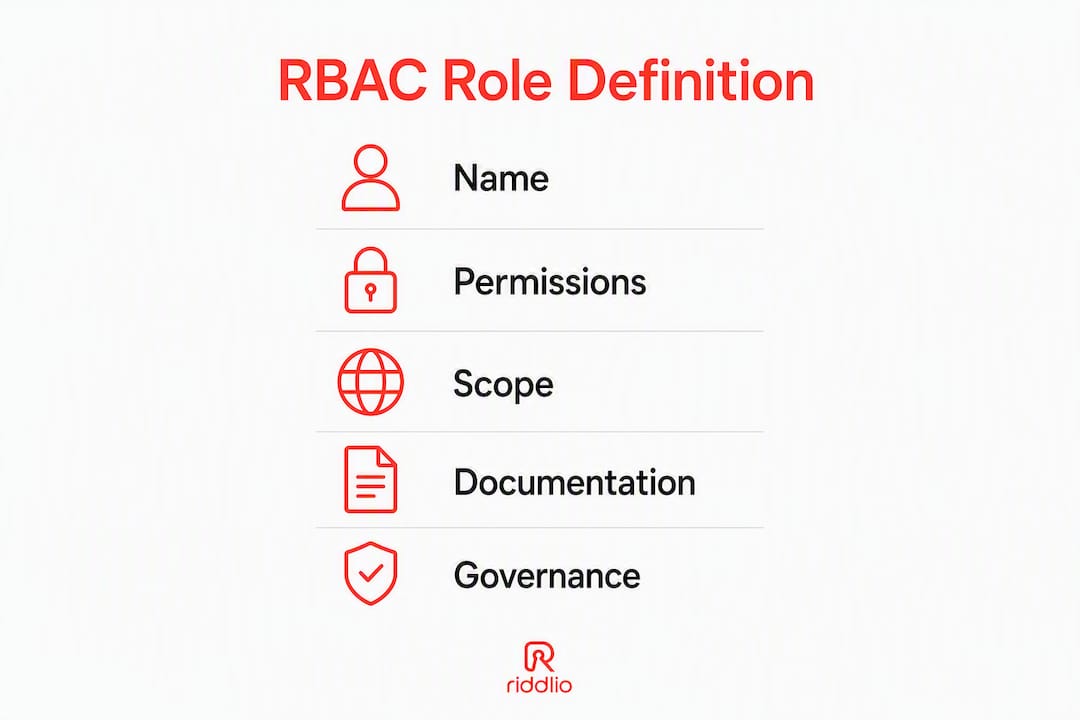
Roles are defined by three things: a name, a set of permissions and a scope. Scope is often the part teams get wrong. A role can be scoped to a specific resource, a namespace, an environment (production vs staging) or an entire organisation. In Azure RBAC, the scope hierarchy runs from management group down to individual resource. In Kubernetes, Role objects are namespace-scoped while ClusterRole objects apply cluster-wide, and Kubernetes RBAC enforces that all permissions are additive: there are no explicit deny rules in the base model.
Naming conventions matter more than most teams expect. A role called admin tells you nothing. A role called prod-db-read-only tells you the environment, the resource type and the permission level. Adopt a pattern early: {environment}-{resource}-{action} works well for infrastructure roles.
Assignment flows
There are three common ways a user ends up holding a role:
- Direct assignment: an administrator manually binds the user to the role. Simple, but does not scale.
- Group-based assignment: the user is a member of a directory group, and the group is bound to the role. This is the most common pattern in Azure AD and Okta.
- IdP/SCIM provisioning: the IdP pushes role assignments automatically based on attributes (department, title, location) when a joiner-mover-leaver event fires. IBM’s provisioning guidance recommends this as the target state: a central directory managing global roles mapped to application-level roles via provisioning APIs.
Enforcement chain
The enforcement path runs: identity provider issues a token with role claims → the token reaches the resource authoriser (an application, API gateway or cloud IAM policy engine) → the authoriser evaluates the claims against its policy → access is granted or denied. Breaking any link in that chain, for example a misconfigured token audience or a stale policy cache, produces unexpected access decisions.
Sessions, JIT elevation and break-glass access
Time-bound sessions are the right default for privileged roles. A developer who needs production database access for an incident gets a session-scoped elevation that expires in four hours, not a permanent role assignment. This is just-in-time (JIT) elevation, and it dramatically reduces the standing privilege footprint.
Break-glass accounts are the emergency exception: a small number of highly privileged accounts held outside normal IdP flows, used only when standard access paths fail. Every activation must generate an alert and a full audit trail.
Practical JIT elevation flow:
- User submits an access request with justification and duration.
- Automated approval or manager sign-off triggers a temporary role binding.
- The session is active for the approved window.
- Binding is automatically revoked at expiry; a log entry is written.
- Access review team receives a summary for the next audit cycle.
Pro Tip: Log every role assignment change, elevation request and break-glass activation to an immutable log store, separate from the system being protected. In an incident, that log is your evidence.
What RBAC models suit different organisational needs?
Core (flat) RBAC
The minimal model: users, roles and permissions with no hierarchy. Every role is independent. This works well for small organisations or single-application deployments where job functions are distinct and stable. The management overhead is low, but duplication grows quickly as the organisation scales.
Hierarchical RBAC
Roles inherit permissions from parent roles, mirroring organisational reporting lines. A team-lead role inherits everything from engineer and adds approve-deployment. This cuts duplication significantly. The risk is that deep hierarchies become hard to reason about: when something goes wrong, tracing which ancestor role granted a permission takes time.
Constrained RBAC and separation of duties
Constrained RBAC adds SoD rules: certain role combinations are mutually exclusive (static SoD) or a single user cannot activate both roles in the same session (dynamic SoD). This is the model financial services and healthcare organisations reach for when regulatory requirements demand it.
Enterprise RBAC and identity governance
At enterprise scale, RBAC extends into identity governance platforms (SailPoint, Saviynt and similar). These add role certification workflows, entitlement modelling, delegated administration and risk scoring. The underlying RBAC model is the same; the tooling adds the governance layer on top.
The role explosion anti-pattern
Role explosion happens when teams create a new role for every permission combination rather than modelling roles around job functions. A hundred roles for fifty people is a maintenance disaster. IBM’s implementation guidance is direct on this: model roles around job functions, use inheritance and constraints, and resist the temptation to create one role per permission combination. Google Cloud IAM documentation echoes this, recommending a small set of coarse-grained reusable roles with hierarchical layering where needed.
RBAC vs ABAC: when should you use each?
| Dimension | RBAC | ABAC | Hybrid |
|---|---|---|---|
| Use case / best for | Stable job functions, large user populations | Dynamic context: time, location, relationship, data sensitivity | RBAC baseline with ABAC overlays for high-risk resources |
| Granularity | Coarse to medium | Fine-grained, per-object | Configurable per resource type |
| Conditional / temporal policies | Limited; requires JIT or session scoping | Native; policies evaluate attributes at request time | ABAC layer handles conditions RBAC cannot express |
| Management complexity | Low to medium | High; policy authoring requires expertise | Medium; complexity concentrated in ABAC overlay |
| IAM / SSO / cloud integration | Excellent; native in Azure AD, Okta, AWS IAM | Varies; requires attribute pipeline and policy engine | Requires both IdP integration and attribute sourcing |
| Auditability and compliance reporting | Strong; role assignments are discrete, auditable objects | Moderate; policy decisions can be hard to explain to auditors | Strong for RBAC layer; ABAC decisions need structured logging |
Wikipedia’s RBAC article captures the core distinction: RBAC uses static roles tied to job functions while ABAC evaluates dynamic attributes such as time, location and relationship at the moment of the access request. ABAC is more expressive, but that expressiveness comes with policy complexity that most teams underestimate.
When ABAC is the right choice:
- Access decisions depend on data classification or sensitivity labels that change over time.
- You need to restrict access based on the requester’s location or device posture.
- Per-object policies are required (for example, a document owner can always edit their own files regardless of role).
Hybrid design in practice:
- Use RBAC to assign baseline access for all users in a job function.
- Apply ABAC policies as an overlay for specific high-risk resources or exceptional conditions.
- Keep the ABAC policy set small and well-documented; a sprawling ABAC policy library is as hard to manage as role explosion.
Decision checklist:
- If your access model maps cleanly to job functions and stays stable, start with RBAC.
- If you need conditional denials or per-object policies, add an ABAC overlay.
- If your IdP does not yet support attribute-based policies, RBAC is the pragmatic starting point.
- If your team cannot maintain a policy engine, ABAC’s theoretical benefits will not materialise.
How should you design roles to avoid common pitfalls?
Start small. Create a handful of broad roles that cover the majority of your users, and add specificity only when a real operational need appears. This is the consistent advice from both Google Cloud IAM and IBM: coarse-grained reusable roles with hierarchical layering beat a proliferation of narrow roles every time.
Naming and documentation standards
Every role should have a documented owner, a plain-language description of its intended actions, the systems it affects and the scope it applies to. Without this, the role becomes an undocumented exception within eighteen months. A role registry, even a simple spreadsheet, is better than nothing.
Lifecycle governance
Roles need owners, not just creators. The owner is responsible for approving membership requests, signing off on access reviews and triggering deprovisioning when the role is no longer needed. Automated deprovisioning on leaver events is non-negotiable; IBM’s lifecycle guidance frames this as treating RBAC as an ongoing process rather than a one-time configuration.
Review cadence by organisation size:
- Small organisations (under 100 users): quarterly review of all role assignments; annual role catalogue review.
- Mid-size organisations (100–1,000 users): monthly review of privileged roles; quarterly review of general roles; semi-annual role catalogue review.
- Large organisations (over 1,000 users): continuous monitoring with automated alerts for anomalies; monthly review of high-risk roles; quarterly review of all others.
Anti-patterns to avoid
- Privilege creep: users accumulate permissions across role changes without the old roles being removed. Joiner-mover-leaver automation is the fix.
- Orphaned accounts: former employees or contractors whose accounts remain active. Automated deprovisioning tied to HR system events prevents this.
- Undocumented exceptions: one-off permission grants outside the role model. Every exception should be time-bound, documented and reviewed.
- Over-specialisation: creating a unique role for a single user. If only one person holds a role, it is probably a permission grant in disguise.
Pro Tip: Build a role heatmap: a matrix of roles versus systems showing which roles have access to which systems. Roles that appear in every column are your highest-risk targets for review.
What does a practical RBAC migration look like?
Moving from ad-hoc permissions to a managed RBAC model is a project, not an afternoon’s work. Breaking it into phases reduces risk.
Phase 1: pre-work and inventory
- Enumerate all applications and systems in scope.
- Export current entitlements: group memberships, ACL entries, service account permissions.
- Map critical workflows to understand which permissions are genuinely required for each job function.
- Define success metrics: entitlement count reduction, time-to-provision for new starters, number of orphaned accounts.
Phase 2: role mapping
- Cluster existing entitlements by job function, not by individual user.
- Identify high-risk exceptions: accounts with permissions that span multiple job functions or include elevated privileges.
- Draft candidate roles and validate them with business owners, not just IT.
- Document each candidate role with owner, scope and intended permissions.
Phase 3: pilot and validation
- Select a low-risk system with a small, well-understood user population.
- Assign users to candidate roles and verify access matches expectations.
- Test joiner-mover-leaver flows end-to-end: onboard a test user, change their role, then offboard them.
- Confirm that automated provisioning via SCIM correctly adds and removes role memberships.
Phase 4: rollout and enforcement
- Integrate with your IdP and enable SCIM provisioning for each application in scope.
- Implement JIT elevation for privileged roles; remove standing privileged access.
- Deploy break-glass accounts with monitoring and alert on every activation.
- Communicate changes to affected staff before enforcement begins.
Phase 5: post-rollout monitoring
- Schedule access reviews according to the cadence appropriate for your organisation size.
- Measure entitlement reduction against the baseline captured in Phase 1.
- Track time-to-provision for new starters as an operational efficiency metric.
- Feed anomalies from your SIEM into the review queue rather than waiting for scheduled reviews.
How do you integrate RBAC with Azure, Auth0 and cloud IAM?
Azure RBAC
Azure RBAC uses three primitives: a security principal (user, group, service principal or managed identity), a role definition (a named set of permissions), and a scope (management group, subscription, resource group or resource). A role assignment binds all three. Microsoft’s Azure RBAC documentation is the authoritative reference for the permission model and built-in roles.
Practical tips:
- Assign roles to groups, not individual users. Managing group membership is far easier than managing individual role assignments at scale.
- Use built-in roles (Reader, Contributor, Owner) as the baseline; create custom roles only when built-ins grant too much.
- Scope assignments as narrowly as practical: resource group scope is usually better than subscription scope.
Auth0 and IdP-based role management
Auth0 manages roles and permissions at the application level. Roles are defined in the Auth0 dashboard, permissions are attached to roles, and users are assigned roles either manually or via Auth0 Rules/Actions that fire on login. The token issued to the application carries the user’s roles and permissions as claims, which the application’s authorisation layer evaluates.
For SCIM-based provisioning with Okta or Azure AD, the IdP group maps to an application role. When a user joins a group in the IdP, SCIM pushes the corresponding role assignment to the application. This is the target state for joiner-mover-leaver automation.
Kubernetes RBAC
Kubernetes exposes four objects: Role, ClusterRole, RoleBinding and ClusterRoleBinding. Roles are namespace-scoped; ClusterRoles apply cluster-wide. All permissions are additive: Kubernetes RBAC has no deny rules, so restricting a user who holds a broad ClusterRole requires removing the binding, not adding a deny.
Service accounts in Kubernetes should follow the same least-privilege discipline as human identities. Avoid binding ClusterAdmin to workload service accounts; scope service account roles to the specific namespaces and resources the workload actually needs.
IBM RBAC guidance
IBM’s role modelling guidance recommends mapping global directory roles to application-level roles via provisioning APIs, with the central IdP as the source of truth. This pattern works across cloud and on-premises systems and is the foundation of most enterprise identity governance deployments.
| Platform | Role primitive | Scope model | Deny support | SCIM / provisioning |
|---|---|---|---|---|
| Azure RBAC | Role definition + assignment | Mgmt group → subscription → resource group → resource | No native deny | Yes, via Azure AD groups |
| Auth0 | Role + permission | Application-level | No | Yes, via Actions and SCIM |
| Kubernetes | Role / ClusterRole | Namespace or cluster | No | Via IdP integration |
| AWS IAM | Policy attached to role | Account, OU, resource | Yes (explicit deny) | Yes, via IAM Identity Centre |
Australian operational considerations
Australian organisations should confirm that role assignment logs and identity audit trails are stored in Australian data regions where data residency obligations apply. Microsoft Azure’s Australia East and Australia Southeast regions support this. For SIEM integration, confirm that your log forwarding pipeline does not route identity events through overseas infrastructure before they reach your Australian SIEM instance. This is a common oversight in hybrid deployments.
How do you keep RBAC effective through monitoring and auditing?
A role model that is not monitored degrades. Permissions drift, roles accumulate members they were never designed for, and the clean model you built becomes the ad-hoc mess you replaced.
Essential events to log
- Role assignment creation and deletion.
- JIT elevation requests, approvals and expirations.
- Break-glass account activations.
- Token issuance for privileged roles.
- Failed access attempts on sensitive resources.
- SCIM provisioning events (user created, role added, user deprovisioned).
Access review cadence
High-risk roles (production admin, billing, data export) warrant monthly review. General roles can be reviewed quarterly. The reviewer should be the role owner, not the IT team: the business owner knows whether a user still needs access; IT does not. Evidence for ISO 27001 and SOC 2 audits typically requires documented sign-off, a list of reviewees and the outcome of each review.
Compliance mapping for Australian organisations
RBAC supports the Australian Privacy Principles by providing a documented, auditable model for who can access personal information. For organisations pursuing ISO 27001 certification, RBAC evidence maps directly to Annex A controls on access control (A.9). SOC 2 Type II reports require evidence of access reviews and least-privilege enforcement; RBAC provides both.
Alerting and metrics
Configure alerts for:
- Any role assignment to a privileged role outside business hours.
- A user acquiring more than a threshold number of new roles in a short window.
- Orphaned accounts: users who have been inactive for more than 30 days but still hold active role assignments.
- Entitlement drift: the total permission count per user growing over successive review cycles.
Pro Tip: Use risk-weighted access reviews. Assign a risk score to each role based on the sensitivity of the resources it touches. Review high-risk roles more frequently and require a second approver. This concentrates human effort where it matters most and reduces review fatigue for low-risk roles.
Key takeaways
RBAC works because it separates the question of who a person is from what they are allowed to do, and that separation makes access both auditable and manageable at scale.
| Point | Details |
|---|---|
| Start with broad roles | Create a small set of coarse roles first; add granularity only when a real operational need justifies it. |
| Automate joiner-mover-leaver | SCIM-based provisioning tied to your IdP prevents orphaned accounts and privilege creep at the source. |
| Log every privileged event | Role assignments, JIT elevations and break-glass activations must write to an immutable, separate log store. |
| Review on a risk-weighted cadence | High-risk roles monthly, general roles quarterly; business owners sign off, not just IT. |
| Audit before you migrate | Baseline your current entitlement count before rollout so you can measure reduction and demonstrate ROI. |
The part most RBAC rollouts get wrong
The conventional wisdom on RBAC rollouts is that the hard part is technical: choosing the right model, wiring up SCIM, configuring Azure role assignments. That is not where most implementations fail.
The failure mode I see repeatedly is organisational. Teams spend months designing a clean role model, then hand it to business units for validation and discover that nobody can agree on what a “manager” is allowed to do. The role model reflects IT’s assumptions about job functions, not the actual operational reality. The result is either a role model that is too coarse to be useful or a negotiation that drags on until the project loses momentum.
The fix is to start the business conversation before the technical design, not after. Run workshops with department heads to map job functions to access needs. Document the outcomes. Only then start translating those outcomes into role definitions. This sounds obvious, but the pressure to show technical progress pushes teams to skip it.
The second thing teams consistently underestimate is service accounts and machine identities. Human identities get the attention; service accounts accumulate permissions quietly in the background. By the time someone audits them, a service account that was created for a single integration has accumulated permissions across a dozen systems. Treat service accounts as first-class identities from day one. Give them narrow, auditable roles. Review them on the same cadence as human identities. If you are deploying AI agents or automation pipelines, the same rule applies: assign them the minimum permissions they need, default to read-only where possible, and log everything they do.
The third lesson is that measurable KPIs are what keep RBAC work funded. “We improved our security posture” does not survive a budget review. “We reduced the average entitlement count per user by 40% and cut time-to-provision for new starters from three days to four hours” does. Define your metrics before the project starts, measure them at baseline, and report them at every milestone.
Useful sources for implementation and deeper reading
The references below are the authoritative starting points for RBAC design, platform integration and compliance evidence. Which one to read first depends on your immediate task.
- Designing your model: NIST RBAC reference model and administrative specification — the foundational standard. Read this before any vendor documentation.
- Platform implementation: Microsoft Azure RBAC overview — the definitive reference for Azure role definitions, assignments and scope hierarchy.
- Role lifecycle and governance: IBM RBAC implementation guide — covers joiner-mover-leaver automation, role certification and entitlement modelling.
- Kubernetes integration: Kubernetes RBAC authorisation documentation — Role, ClusterRole, RoleBinding and ClusterRoleBinding objects explained with examples.
- Composite roles and group mappings: Red Hat Keycloak role administration guide — practical guidance on composite roles and group-to-role mappings in an open-source IdP.
- RBAC vs ABAC comparison: Wikipedia RBAC article — a useful neutral reference for the RBAC/ABAC distinction and model variations.
- Role design best practices: Google Cloud IAM roles overview — the coarse-roles-first principle explained in a cloud IAM context.
For teams implementing RBAC within a booking or venue management platform, Riddlio’s platform features map directly to role responsibilities across bookings, payments, waivers, analytics and communications. The Riddlio booking system provides a practical context for mapping venue-level staff roles to platform permissions, including separation of duties between staff who process payments and those who modify pricing or access operational reports.
