Yes, Australian escape rooms can offer Apple Wallet tickets. The fastest path is enabling PassKit-compatible pass generation through your existing booking platform. If your current system doesn’t support .pkpass files natively, consider booking management software like TravelEngine to enable seamless PassKit integration before committing to a custom build.
Table of Contents
- How do Apple Wallet tickets actually work on iPhone?
- What are your three options for offering Wallet passes?
- What’s the technical checklist before you build anything?
- How do you validate passes at the door?
- What should your confirmation message say?
- Step-by-step checklist and testing plan before go-live
- What do Wallet tickets cost and how long does each route take?
- Privacy, data security, and Australian compliance
- Riddlio makes enabling Wallet tickets faster for escape rooms
- Key takeaways
- The case for not overthinking this
How do Apple Wallet tickets actually work on iPhone?
A Wallet pass isn’t a PDF or a screenshot. It’s a signed .pkpass package that Apple’s PassKit framework generates, signs with a certificate, and stores locally on the device. That local storage is the key operational advantage: customers can present tickets offline, even in a basement venue with no mobile signal.
Here’s what operators need to understand about pass behaviour:
- Adding the pass: Customers tap an ‘Add to Apple Wallet’ button inside a confirmation email, booking page, or SMS. If that button isn’t there, your system doesn’t support Wallet passes. A QR image in an email is not a substitute.
- Automatic appearance: Passes can surface on the lock screen based on time or location, so a customer walking up to your venue may see their ticket appear before they even open their phone.
- Status updates: When a booking is cancelled or transferred, the pass updates to show as greyed out or invalid, provided your backend pushes that change via a pass update web service.
- Sharing and invalidation: Passes can be shared via AirDrop or Messages if the issuer enables it. That means your system must immediately invalidate the original pass when a legitimate transfer occurs, or you risk two people arriving with valid-looking passes for the same slot.
- Apple Watch pairing: When a customer adds a pass to their iPhone, it automatically appears on their paired Apple Watch too.
Pro Tip: Don’t assume offline access means no backend required. You still need a live HTTPS update endpoint to push cancellations and transfers to already-issued passes.
What are your three options for offering Wallet passes?

| Route | Cost shape | Timeline | Best for |
|---|---|---|---|
| A. Booking platform feature | Lowest (included or small add-on) | Days to a week | Venues wanting fastest go-live with minimal dev work |
| B. Third-party pass provider (e.g. PassKit) | Moderate (monthly SaaS fee) | 1–3 weeks | Venues needing more pass customisation than their platform offers |
| C. Custom PassKit integration | Highest (developer hours + ongoing hosting) | 1–3 months | High-volume venues with complex seat mapping or transfer logic |
Option A is the right call for most Australian escape rooms. If your booking platform already generates .pkpass files and surfaces the Add button in confirmation emails, you’re done. The trade-off is limited visual customisation on the pass itself.
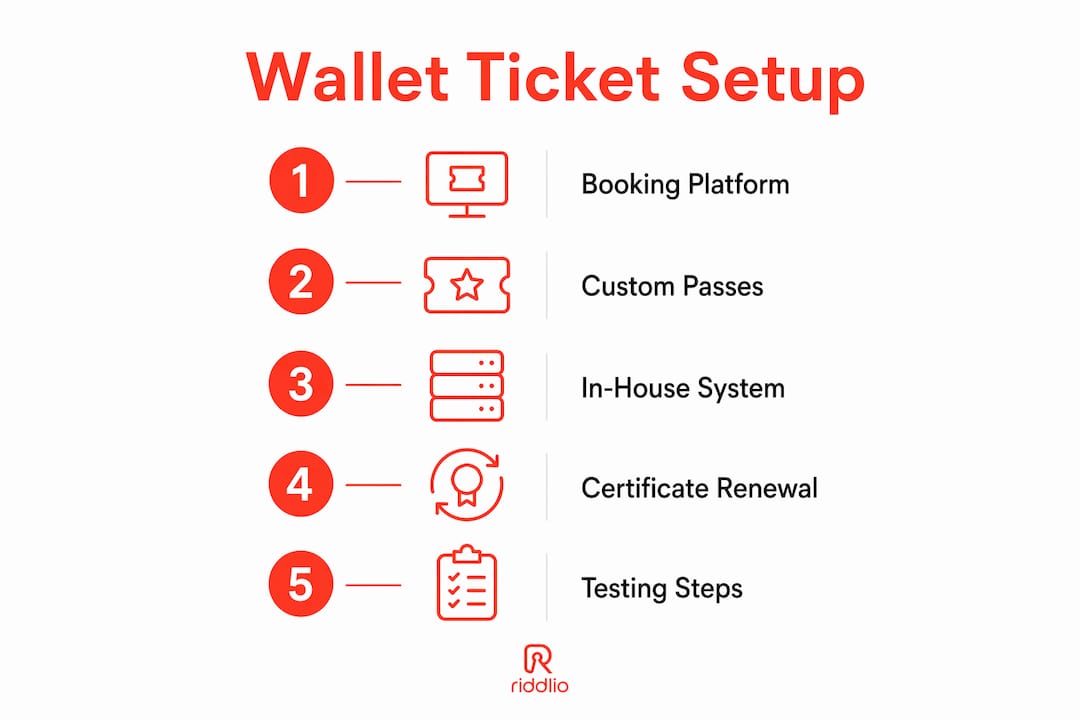
Option B suits venues that want branded passes with custom fields, but whose booking system doesn’t natively support Wallet. A specialised pass provider handles certificate signing, hosting, and the update web service. You connect via API or webhook.
Option C is rarely justified for a single-location escape room. Reserve it for multi-venue operators with complex transfer rules or seat-level validation requirements.
Pro Tip: Before signing any third-party pass provider contract, confirm they handle Apple certificate renewal. Expired certificates silently break pass updates.
What’s the technical checklist before you build anything?
A Wallet pass is a signed package, not a simple file. Missing any one of these pieces means passes either won’t generate or won’t update correctly.
- Apple Developer account — required to obtain a Pass Type ID certificate. Annual fee applies. Without it, no signing, no passes.
.pkpassfile structure — each pass needs apass.json(with your Pass Type ID, serial number, and barcode data), plus assets:logo.png,icon.png,thumbnail.png, and localisation strings.- Pass signing — your server signs the package with your certificate before delivery. This is where most DIY attempts break.
- Pass update web service — an HTTPS endpoint that Apple’s servers call to check for pass updates. Without it, cancelled bookings won’t reflect on already-issued passes.
- Reliable hosting — the update endpoint must be available 24/7. A shared hosting plan that goes down during your Saturday peak is a real problem.
- Booking system integration — passes must reference a unique order ID from your booking system so cancellations and transfers trigger the correct pass update.
Passes that skip the update web service are a one-way ticket to support calls from customers holding invalid passes that still look valid on their phone.
How do you validate passes at the door?
The scanning workflow matters as much as the technical setup. Here’s what works in practice:
- Camera barcode scan: Most venue check-in apps can scan the QR or PDF417 barcode displayed on a Wallet pass. This is the most common validation method for escape rooms.
- NFC contactless: Only available if the pass issuer has enabled NFC and the venue’s scanner supports it. Most escape room setups use barcode scanning.
- Apple Watch display: Passes display on the Watch face; your scanner needs line-of-sight to the barcode, which can be awkward on a small Watch screen. Test this before go-live.
- Hidden barcodes: Some issuers configure passes so the barcode is hidden until the customer taps the pass. Brief your front-desk staff so they can guide customers who look confused.
Suggested front-of-house workflow: scan the barcode in your check-in app, confirm the booking name matches the group, then mark the pass as used. If a transfer has occurred, the original pass should already show as invalid in your system.
Pro Tip: Run a staging scan test with at least three iOS versions and one Apple Watch before your first live booking. Barcode rendering varies slightly across iOS releases.
What should your confirmation message say?
Most avoidable support volume comes from unclear post-booking instructions. The Add button placement and the troubleshooting copy in your confirmation message do most of the heavy lifting.
- Confirmation page: Show the ‘Add to Apple Wallet’ button immediately after payment. Don’t bury it below the booking summary.
- Confirmation email: Include the button above the fold with a one-line instruction: “Tap to save your ticket to Apple Wallet for offline access.”
- SMS reminder: Send an automated SMS 24 hours before the session with a direct pass link. Short copy works: “Your escape room ticket is ready. Add it to Apple Wallet: [link]”
- Troubleshooting copy to include in automated replies:
- “Already claimed this pass? Check your Wallet app — it may already be there.”
- “Can’t add the pass? Disable VPN or Private Relay, then try again.”
- “Using an older iPhone? Update to the latest iOS and retry.”
Pro Tip: A one-line troubleshooting FAQ in your confirmation email cuts support calls more than any chatbot. Write it once, automate it forever.
Step-by-step checklist and testing plan before go-live
Vendor and contract setup
- Confirm your pass provider or booking platform handles Apple certificate signing and renewal.
- Verify the pass update web service is live and reachable over HTTPS.
- Confirm support SLAs: what happens if passes stop updating on a Saturday night?
Booking flow checks
- Place a test booking and confirm the ‘Add to Apple Wallet’ button appears on the confirmation page and in the email.
- Verify the pass contains the correct booking name, date, time, and a scannable barcode.
Front desk and staff training
- Train staff on the check-in app: how to scan, how to handle a greyed-out invalid pass, and what the fallback is (a booking reference lookup).
- Confirm cancellation and transfer workflows: does invalidating a booking in your system immediately grey out the pass?
Testing matrix
| Test scenario | Device | Expected result |
|---|---|---|
| Add pass, scan at door | iPhone (latest iOS) | Pass scans, marked used |
| Add pass, scan at door | iPhone (two versions back) | Pass scans, marked used |
| Add pass, view on Watch | Apple Watch paired | Barcode visible, scannable |
| Cancel booking, check pass | Any iPhone | Pass shows as invalid |
| Transfer booking, check original | Any iPhone | Original pass greyed out |
| Simulate no mobile data | iPhone in aeroplane mode | Pass still displays |
What do Wallet tickets cost and how long does each route take?
- Platform feature toggle (Option A): Typically included in your booking platform subscription or available as a low-cost add-on. Go-live in days once configured. Cost is minimal if your platform already supports it.
- Third-party pass provider (Option B): Monthly SaaS fees vary by pass volume. Expect a setup period of one to three weeks for API connection, pass template design, and testing.
- Custom PassKit build (Option C): Developer hours for backend work, certificate management, and hosting add up quickly. Timeline runs one to three months. Ongoing hosting and certificate renewal add to the annual cost.
Factors that push cost and time up: custom pass designs with dynamic fields, complex transfer logic, seat-level validation, and additional QA rounds across device types. For most single-location Australian escape rooms, Option A or B is the practical answer.
Privacy, data security, and Australian compliance
Wallet passes contain whatever data you put in them. That data sits on a customer’s device and travels through Apple’s servers during the add and update flow. Under the Australian Privacy Principles (APPs) administered by the Office of the Australian Information Commissioner (OAIC), you must handle that data lawfully and minimise what you collect.
- Minimise pass data: Include only what’s needed for entry: booking reference, date, time, and venue name. Don’t embed full names, email addresses, or payment details in the pass payload.
- HTTPS everywhere: Your pass update endpoint must use HTTPS. Unencrypted endpoints expose booking data in transit and breach APP 11 (security of personal information).
- Immediate invalidation: When a transfer occurs, invalidate the original pass instantly. A pass that remains valid after a transfer is both a security gap and a potential APP 3 (collection) issue if the wrong person gains entry.
- Data retention: Clarify in your privacy policy how long pass-related data (serial numbers, device tokens) is retained and when it’s deleted after a booking expires.
Pro Tip: Review your privacy policy before launch to confirm it covers digital pass data. The OAIC’s APP guidelines are freely available and worth a 30-minute read before you go live.
Riddlio makes enabling Wallet tickets faster for escape rooms
Escape rooms running on Riddlio already have the operational foundation that Wallet ticket support sits on: online bookings, payment processing through Stripe, Square, and PayPal, automated SMS reminders, digital waivers, and a single dashboard that connects bookings to customer communications.

Adding Wallet pass delivery to that flow means your confirmation email, SMS, and booking page all have a single source of truth for pass status. Cancellations and transfers handled inside Riddlio can trigger pass invalidation without manual intervention. For operators considering PassKit integration, Riddlio’s support team can walk you through what’s already in place and what a PassKit connection would require for your venue’s volume and booking patterns.
Start by checking your current Riddlio settings for pass delivery options, or book a demo to discuss PassKit integration and a realistic go-live timeline for your venue.
Key takeaways
Australian escape rooms can offer Apple Wallet tickets by enabling PassKit-compatible pass generation through their booking platform, a third-party provider, or a custom build, with most venues best served by the platform-native route.
| Point | Details |
|---|---|
| Pick the right route | Use your booking platform’s native pass feature first; only move to a third-party provider or custom build if it lacks .pkpass support. |
| Three checks before go-live | Confirm the Add button appears in confirmation emails, pass signing is active, and your entry scanner reads the pass barcode correctly. |
| Offline access is the key benefit | Passes store locally on iPhone and Apple Watch, so customers can enter even with no mobile signal at your venue. |
| Minimise data on the pass | Include only booking reference, date, time, and venue name; keep personal identifiers out of the pass payload to stay aligned with Australian Privacy Principles. |
| Riddlio as your starting point | Riddlio’s booking, payments, and SMS features provide the operational foundation; contact Riddlio support to confirm PassKit integration options for your venue. |
The case for not overthinking this
There’s a tendency in the escape room industry to treat digital ticketing as a “nice to have” that gets deferred until the venue is bigger or busier. That logic is backwards. The venues that benefit most from Wallet passes are the ones with tight front-desk staffing and back-to-back sessions, which describes almost every escape room in Australia running at capacity on a Friday night.
The offline reliability alone is worth the setup effort. A customer who can’t load their PDF ticket because your venue is in a basement with no signal is a customer who holds up the queue and stresses your staff. A Wallet pass sidesteps that entirely.
The other thing operators underestimate is the trust signal. A professional ‘Add to Apple Wallet’ button in a confirmation email reads differently to customers than a PDF attachment. It signals that the venue has its operational act together, which matters when you’re competing for group bookings against other entertainment options in the same city.
Don’t wait for a competitor to offer it first. The implementation lift for Option A is genuinely small, and the operational payoff starts from the first booking that uses it.
Useful sources and further reading
- Add, use, and share tickets and passes in Apple Wallet — Apple Support: the primary Apple reference for pass behaviour, offline storage, sharing, and the Add flow.
- Use passes in Wallet on iPhone — Apple Support: detailed guide to pass types, loyalty cards, and sharing mechanics on iPhone.
- How do I add tickets to Apple Wallet? — Ticketmaster Help: practical user-facing troubleshooting patterns that inform what to include in your venue’s support copy.
- Apple Wallet — Apple: Apple’s product overview covering PassKit fundamentals and the signing requirement.
- Australian Privacy Principles — OAIC: the governing framework for how pass-related personal data must be handled by Australian venues.
- Riddlio escape room booking system: Riddlio’s product page for operators ready to connect bookings, payments, and pass delivery in one platform.