Your escape room website and booking flow are almost certainly subject to Title III of the Americans with Disabilities Act. The working benchmark, cited by the Department of Justice and relied on in court settlements, is WCAG 2.1 Level AA. Start here:
- Schedule a manual accessibility audit covering your full booking flow, not just your homepage.
- Stop treating overlays or plug-in “fixes” as a compliance solution — they don’t address code-level issues and can interfere with assistive technologies.
- Review every third-party booking widget you use for native WCAG support and request written conformance documentation from the vendor.
Pro Tip: Prioritise the booking flow first — the calendar widget, waiver form, and payment page. An inaccessible booking path functionally denies service to customers who rely on screen readers or keyboard navigation, which is where legal exposure concentrates.
Table of Contents
- What does U.S. law actually require for web accessibility?
- The three-phase compliance programme: audit, remediate, maintain
- Your accessibility checklist for booking flows, waivers, and payments
- How to audit your site effectively
- Managing legal risk and internal governance
- Common myths that create real legal risk
- Key takeaways
- The part most venue owners get wrong
- Riddlio makes accessible booking simpler for escape room venues
- Useful resources and next steps
What does U.S. law actually require for web accessibility?
Title III of the ADA covers private businesses operating as public accommodations. Escape rooms fit squarely in that category. The DOJ has not issued a formal technical rule for Title III websites, but DOJ guidance and courts consistently point to WCAG 2.1 Level AA as the practical benchmark in settlements and rulings.
Key distinctions worth knowing:
- Title II applies to state and local governments. A 2024 federal rule formally adopted WCAG 2.1 Level AA for those entities, with staggered compliance deadlines.
- Title III covers private businesses like yours. No equivalent formal rule exists yet, but case law and DOJ settlements make WCAG 2.1 AA the de facto standard.
- The effective communication obligation means customers with disabilities must be able to book, sign waivers, and pay without needing to call or visit in person.
- Federal ADA remedies are limited to injunctive relief, but certain state laws permit damages, which raises the stakes considerably.
Stat to know: Automated accessibility scanners flag approximately 25% of common issues and cannot evaluate contextual problems like whether alt text conveys the actual meaning of an image or whether a form’s error message helps a user recover. Manual audits are not optional.
The practical takeaway: act now using WCAG 2.1 AA as your benchmark. Title III still relies on case law, but the direction of travel is clear.
The three-phase compliance programme: audit, remediate, maintain
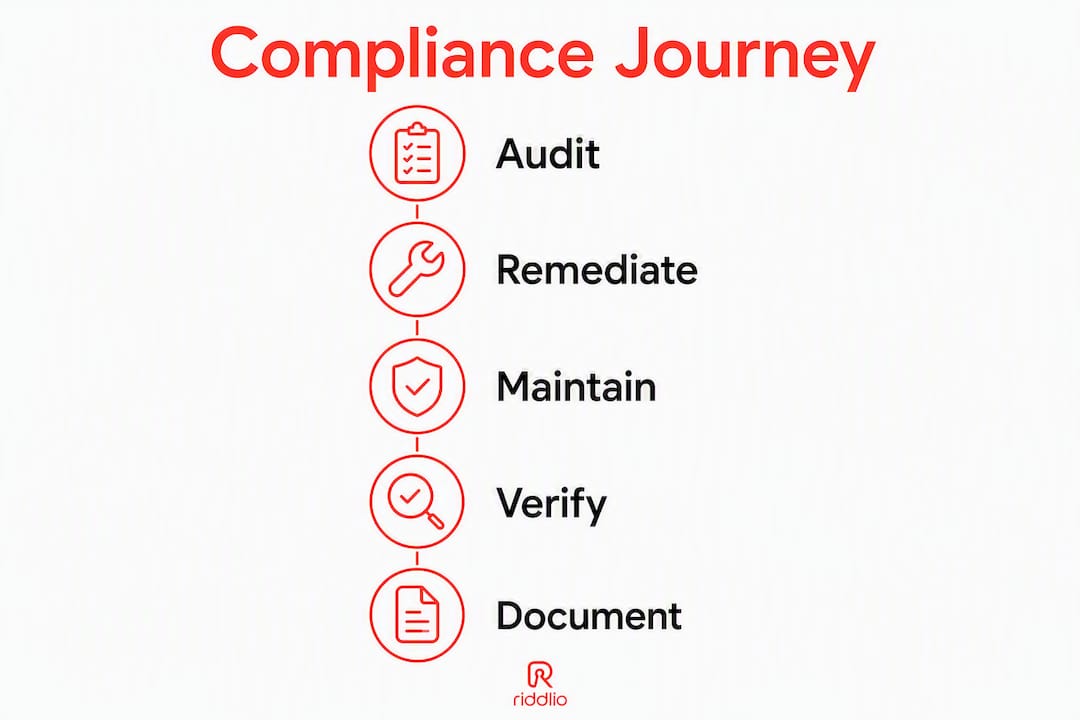
Compliance is a programme, not a one-off project. The three phases are sequential but the third never ends.
Phase 1: audit (weeks 1–4)
Scope every representative page template and the complete booking flow. Combine automated scanning tools (Axe, WAVE, or Lighthouse) with manual review and at least a basic round of user testing with assistive technologies. A small escape room site typically takes two to four weeks to audit properly.

Phase 2: remediation (weeks 5–12)
Fix issues in order of user impact and legal risk. The booking flow, waiver pages, and payment screens come first. Costs vary by complexity:
| Site type | Estimated remediation range |
|---|---|
| Small site, simple booking widget | directional estimate |
| Medium site, custom booking integration | directional estimate |
| Complex multi-room, multi-location setup | directional estimate |
These are directional estimates only. Get scoped quotes from accessibility specialists once you have an audit report in hand.
Phase 3: maintenance (ongoing)
Embed accessibility checks into your content publishing workflow. Every new page, image, or widget update is a potential regression. Schedule a full re-audit at least annually and run automated scans monthly.
| Phase | Duration | Primary owner |
|---|---|---|
| Audit | 2–4 weeks | Accessibility auditor |
| Remediation | 4–8 weeks | Web developer |
| Maintenance | Ongoing | Venue manager + developer |
Deliverables to collect at each phase: an audit report with WCAG 2.1 references, a remediation log with ticket numbers, a validation sign-off from the auditor, and a published accessibility statement on your site. There is no government-issued ADA compliance certificate — this documentation is your evidence.
Pro Tip: Build remediation into your next scheduled site update rather than treating it as a separate project. Bundling fixes reduces developer costs and gets issues resolved faster.
Your accessibility checklist for booking flows, waivers, and payments
The booking flow carries the highest business risk. Run through these items in priority order:
- Calendar widget keyboard navigation — every date, time slot, and control must be reachable and operable without a mouse. Add
aria-labelattributes to calendar controls that lack visible text. - Form field labels — every input (name, email, group size) needs a programmatic label, not just placeholder text that disappears on focus.
- Accessible error messages — when a booking fails validation, the error must identify the specific field and explain how to fix it, not just flash red.
- Waiver accessibility — replace inaccessible PDF waivers with an HTML form that includes a keyboard-accessible signature capture. If you keep a PDF, it must be tagged and structured for screen readers.
- Payment field labels — card number, expiry, and CVV fields must carry screen-reader-accessible labels. Many payment embeds strip these; test with NVDA or VoiceOver before going live.
- Alt text for escape room images — describe the room theme or experience, not just “escape room photo.” Decorative images should carry empty
alt=""so screen readers skip them. - Video captions — any promotional or instructional video needs accurate closed captions, not auto-generated ones left uncorrected.
- Colour contrast — body text needs a contrast ratio of at least 4.5:1 against its background; large text needs 3:1. Dark-themed escape room sites frequently fail this.
- Mobile and responsive checks — test the booking flow on iOS VoiceOver and Android TalkBack, not just desktop screen readers.
- Focus indicators — keyboard users need a visible focus ring on every interactive element. Many venue sites suppress these with
outline: nonein CSS.
Pro Tip: Require every third-party booking vendor to provide a WCAG 2.1 AA conformance statement and evidence of assistive-technology testing before you sign a contract. If they can’t produce it, that’s your answer.
How to audit your site effectively
Combine three layers: automated scanning, manual review, and real user testing. Each catches what the others miss.
Automated tools to run first: Axe DevTools (browser extension), WAVE, and Google Lighthouse. These surface contrast failures, missing labels, and structural markup errors quickly. Remember, they cover approximately 25% of issues.
Manual checks that matter most:
- Unplug your mouse and navigate the entire booking flow using only the Tab, Enter, and arrow keys.
- Run NVDA (Windows, free) or VoiceOver (Mac/iOS, built-in) through the booking, waiver, and payment screens. Listen for unlabelled buttons and missing form context.
- Check every form’s error-handling by submitting incomplete or invalid data and recording what the screen reader announces.
- Open every PDF waiver in Adobe Acrobat’s accessibility checker and confirm heading structure and reading order.
- Test on a real mobile device with the OS screen reader enabled, not just a desktop emulator.
User testing: recruit two to four people who use screen readers or keyboard-only navigation in their daily lives. Script the full booking and waiver flow and observe where they get stuck. This step surfaces issues no automated tool or internal tester will find.
Deliverables from a proper audit: a report mapping every issue to its WCAG 2.1 success criterion, a prioritised remediation matrix, and a developer-facing validation checklist.
Managing legal risk and internal governance
An ADA risk-management programme is one of the most practical defences against demand letters and litigation. The American Bar Association recommends treating accessibility as an operational risk with documented governance, not a one-time technical fix.
Steps to build that programme:
- Assign a named owner for digital accessibility — a staff member or external consultant who is accountable.
- Schedule audits on a fixed calendar: full audit annually, automated scans monthly.
- Log every remediation ticket with dates opened and closed.
- Publish an accessibility statement on your site listing your WCAG target, known limitations, and a contact method for users who encounter barriers.
- Keep vendor accessibility attestations on file and renew them when vendors update their platforms.
- Record user-reported accessibility issues and document how you resolved them.
Documentation to maintain: audit reports, remediation tickets, validation sign-offs, an accessibility maintenance policy, and vendor attestations.
Pro Tip: If you receive a demand letter, dated documentation of good-faith efforts materially changes settlement discussions. Retain an accessibility specialist or legal adviser before responding.
Common myths that create real legal risk
Quick fixes are the most common source of false confidence in this space.
Myths to drop:
- “An overlay widget makes us compliant.” Overlays are widely criticised by the DOJ and accessibility experts because they layer over broken code without fixing it and can actively interfere with screen readers.
- “We ran a scan and passed.” A scan covers approximately 25% of issues. Passing a scan is a starting point, not a finish line.
- “Our PDFs are fine.” An untagged PDF waiver is inaccessible to screen reader users. Either tag it properly or replace it with an HTML form.
- “Third-party widgets are the vendor’s problem.” Courts look at the user experience on your site. An inaccessible booking widget on your domain is your liability.
What to do instead:
- Insist on native WCAG 2.1 AA support from booking and payment vendors, backed by written attestation.
- Use HTML waivers with accessible signature capture rather than PDF-only flows.
- Pair automated scans with manual audits and real user testing on every major site update.
Key takeaways
WCAG 2.1 Level AA is the working standard for ADA website compliance in the United States, and the booking flow is where escape room venues face the greatest legal and operational risk.
| Point | Details |
|---|---|
| Schedule an audit now | Commission a manual audit covering the full booking, waiver, and payment flow within 90 days. |
| Booking flow is highest priority | An inaccessible booking path functionally denies service and concentrates legal exposure. |
| Automated scans cover approximately 25% of issues | Pair scanners with manual review and user testing with assistive technologies. |
| Documentation is your evidence | Maintain audit reports, remediation logs, and a published accessibility statement — there is no government certificate. |
| Riddlio supports accessible booking | Riddlio’s booking widgets, HTML waivers, and labelled payment fields are built to reduce accessibility friction in the booking flow. |
The part most venue owners get wrong
Most escape room operators who ask about ADA website compliance are really asking: “Are we going to get sued?” That’s the wrong question, and it leads to the wrong solution — usually an overlay widget purchased in a panic, which creates more legal exposure than it removes.
The better question is: “Can a customer who uses a screen reader actually book one of our rooms right now?” Go try it. Open NVDA, navigate to your booking calendar, and attempt to select a date and time without touching your mouse. Most venue sites fail within three clicks. The calendar widget is unlabelled, the time slots are div elements with no keyboard role, and the waiver is a flat PDF with no structure.
That’s not a compliance gap. That’s a customer who cannot give you money.
Accessibility work done properly also improves the experience for everyone. Keyboard navigation, clear form labels, and well-structured pages benefit customers on slow connections, older devices, and mobile screens — not only those using assistive technology. The venues that treat this as a product quality issue rather than a legal checkbox tend to build better booking flows overall.
The governance piece matters too. A dated audit report and a remediation log won’t prevent every demand letter, but they demonstrate that your venue took the obligation seriously. That distinction carries weight in settlement discussions, particularly in states where damages are available beyond federal injunctive relief.
Riddlio makes accessible booking simpler for escape room venues
Escape room operators need a booking platform that doesn’t undo their accessibility work the moment a customer hits the widget. Riddlio’s escape room booking system is built with labelled form fields, keyboard-accessible calendar controls, and HTML waiver capture — the exact components that most commonly fail accessibility audits on venue sites.

The online booking calendar uses semantic markup and ARIA attributes so screen reader users can navigate time slots without workarounds. Payment fields integrate with Stripe, Square, and PayPal while preserving the accessible labels those processors support. Waivers are captured as HTML forms with keyboard-accessible signature fields, not flat PDFs. And because Riddlio is a managed platform, accessibility improvements roll out across all venues on the platform — you’re not waiting on a developer to patch your widget every time a WCAG criterion changes.
Ask the Riddlio team for WCAG conformance documentation and a compliance checklist tailored to your venue’s booking flow. Start with a free trial and see how much of your accessibility remediation the platform handles by default.
Useful resources and next steps
WCAG 2.1 Level AA and DOJ guidance are your two anchors. Pair automated scans with manual audits and user testing, and keep your documentation current.
Authoritative resources:
- ADA.gov: Guidance on web accessibility and the ADA — the DOJ’s primary reference for Title III web accessibility obligations.
- ADA.gov: Title II final rule fact sheet — explains the 2024 federal rule adopting WCAG 2.1 AA for state and local governments, useful context for where Title III is heading.
- Federal Register: DOJ Title II final rule (April 24, 2024) — the full regulatory text.
- Accessible.org: What is ADA website compliance? — plain-language explanation of the three-phase programme and why automated scans are insufficient.
- ABA: Digital accessibility under Title III — risk-management framework and state-law damages context.
Your next steps in order:
- Run a free automated scan (Axe or WAVE) on your booking flow today to identify surface-level issues.
- Commission a manual audit from an accessibility specialist within 90 days.
- Request WCAG conformance documentation from your booking and payment vendors.
- Replace PDF-only waivers with an accessible HTML alternative.
- Publish a basic accessibility statement on your site with a contact method for users who encounter barriers.
“Maintaining a living accessibility statement and remediation log on your site are not legal shields, but they are practical evidence that your venue made reasonable efforts — and that can materially change settlement discussions.”
ADA.gov